EAA100 ( PC171 )
EAA100 ( PC171 )
EAA100 ( PC171 )
EAA100 ( PC171 )
EAA100 ( PC171 )

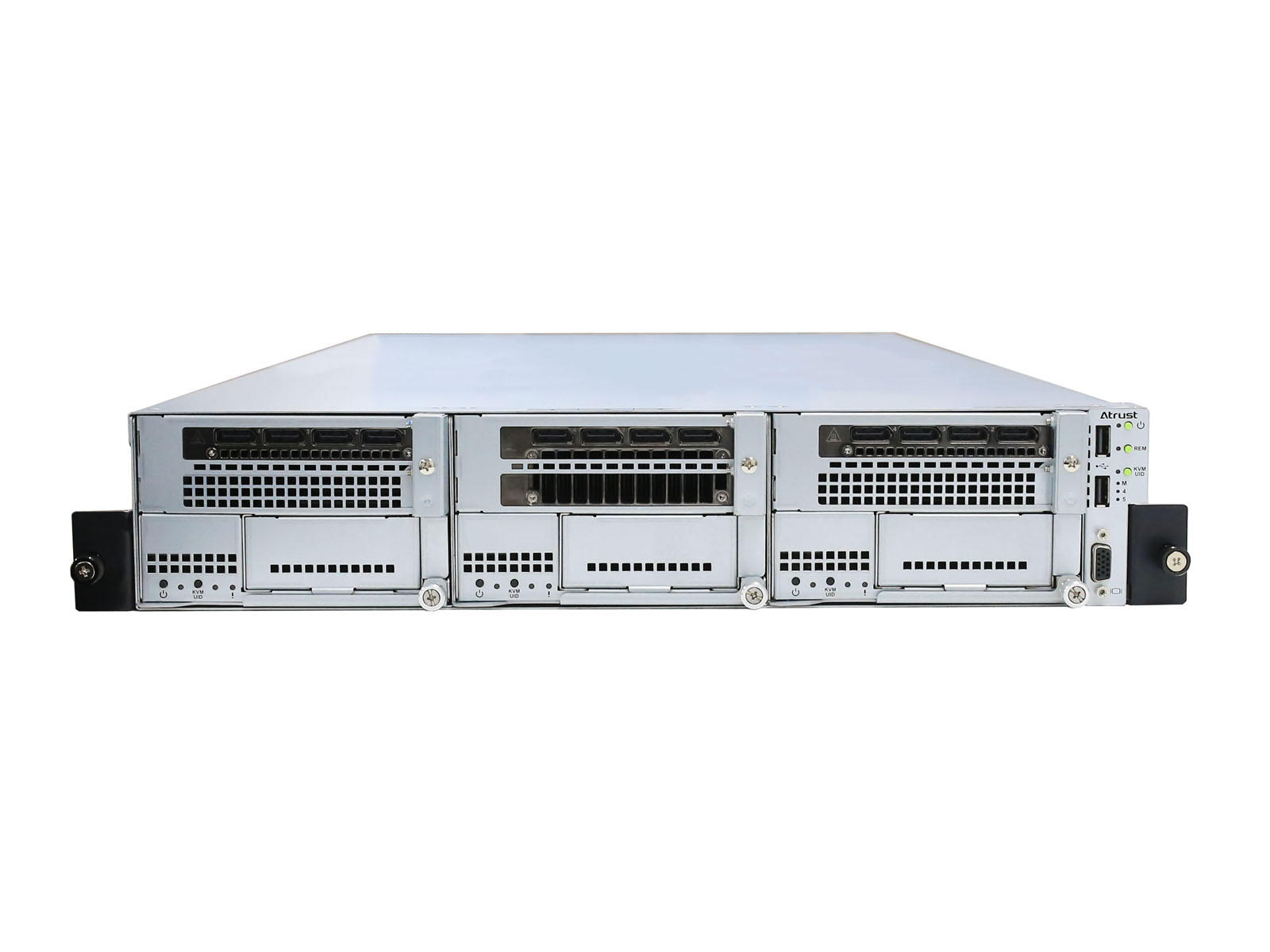
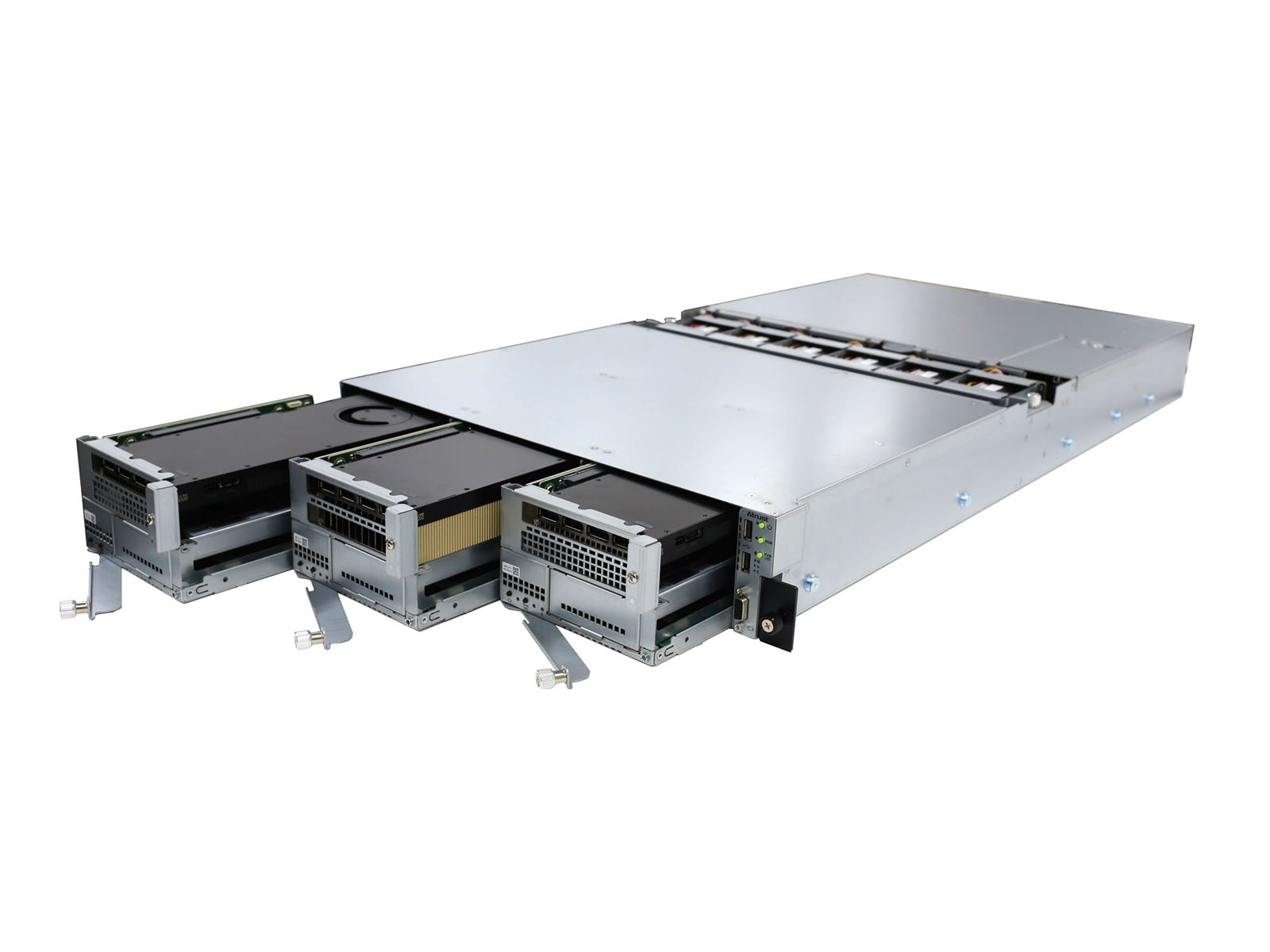
In an era where real-time responsiveness and data sovereignty are paramount, the Edge AI Array ( EAA ) emerges as a pioneering 2U multi-node server designed specifically for the next generation of AI services. By integrating high-performance NVIDIA GPUs with a scalable multi-node architecture, the EAA seamlessly bridges the gap between complex LLM ( Large Language Model ) processing and lifelike Virtual Human ( VH ) front-end delivery.
This is not just a server; it is a complete, self-contained AI ecosystem that allows enterprises to deploy "Physical-meets-Digital" interactive solutions with unprecedented ease and security.


The Future of On-Premise AI
The Edge AI Array represents a shift from "Generic Computing" to "Purpose-Built AI Infrastructure." By consolidating LLM intelligence and Virtual Human presentation into a single, secure, and high-performance chassis, we provide the ultimate foundation for businesses to lead in the age of Generative AI.
Empower your digital workforce. Secure your AI future. Choose Edge AI Array.
High-Density Multi-Node Architecture ( 2U / 5-Node )
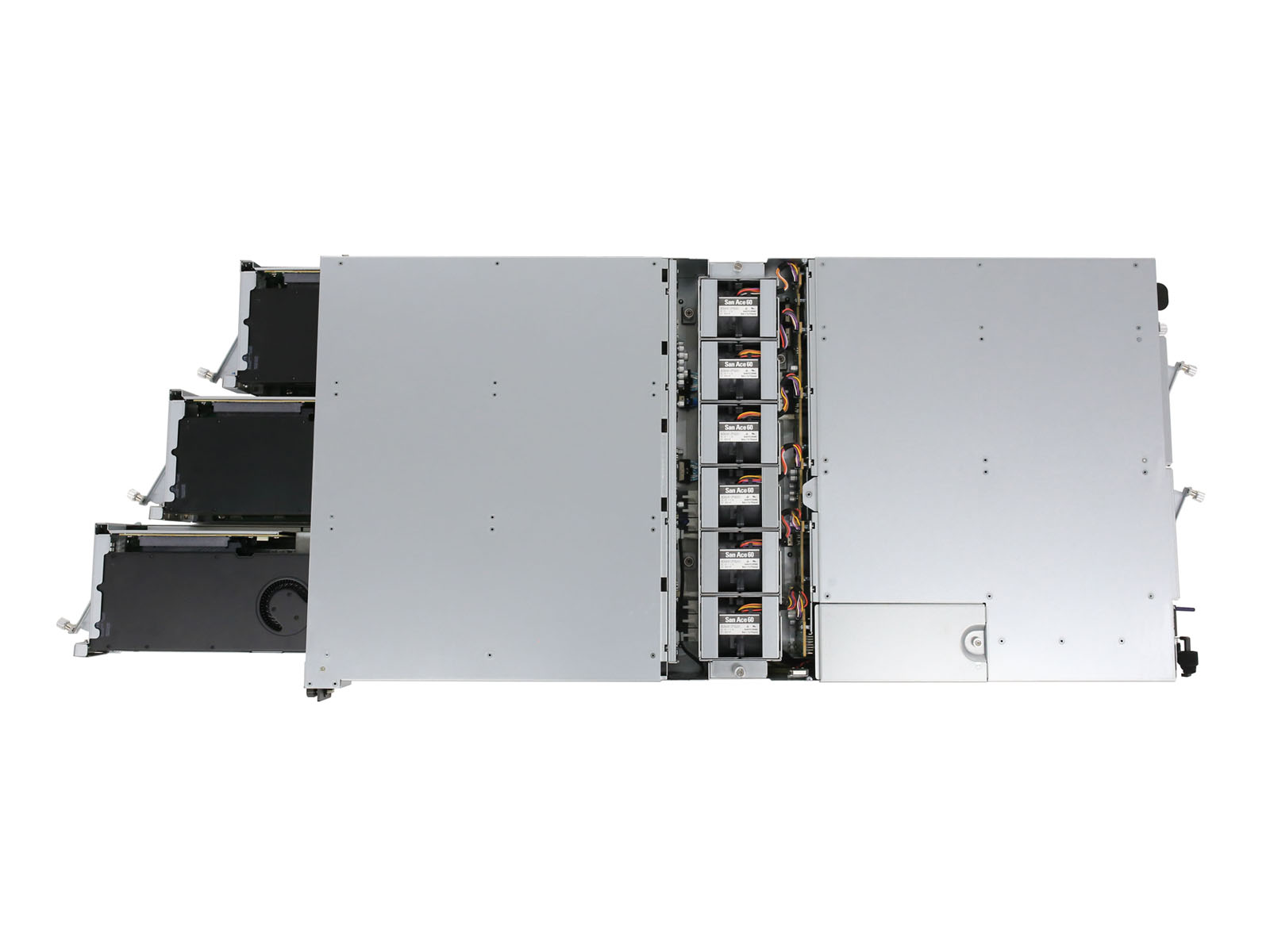
The EAA chassis packs up to 5 independent computing nodes into a compact 2U form factor. This allows for a unique "Divide and Conquer" processing strategy :
● Central Brain : Dedicated nodes for heavy LLM and RAG ( Retrieval-Augmented Generation ) workloads.
● The Avatar Body : Simultaneous management of up to 3 Virtual Human entities within a single unit, handling real-time voice synthesis and 3D rendering.
Uncompromising Privacy & Security ( Air-Gapped AI )
By processing all AI logic on-premise, the EAA eliminates the risks associated with cloud-based AI.
● Data Sovereignty : Sensitive corporate and personal information never leaves your local network.
● Low Latency : Experience near-instantaneous response times for natural, human-like conversations, free from cloud-induced lag.
Professional-Grade NVIDIA Power
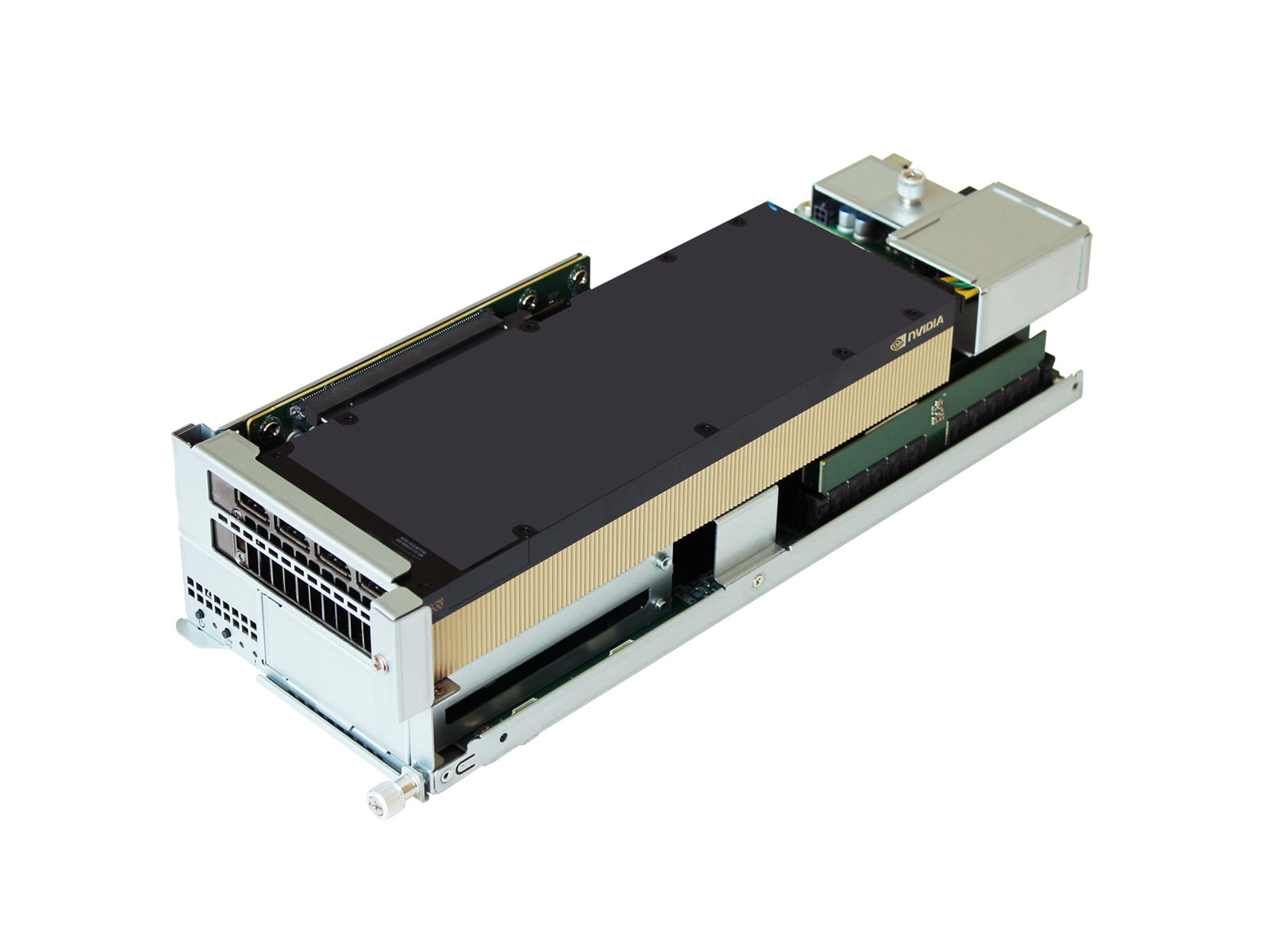
Equipped to handle the most demanding AI tasks, the EAA supports the latest professional GPUs:
● Next-Gen Performance: Fully compatible with a wide range of NVIDIA professional GPUs, supporting the latest enterprise-grade series to provide optimized power for diverse AI workloads.
● Scalability : Flexible configurations ranging from 3 to 5 nodes to match your specific performance and budget requirements.
Enterprise-Grade Reliability
● Power Redundancy : Dual 3,200W Titanium hot-swap power supplies ensure 24/7 mission-critical operation.
● High-Speed Connectivity : Dual 10GbE and quad 25GbE interfaces provide the massive bandwidth required for real-time AI data streaming.
Diverse Application Scenarios
The Edge AI Array is the ideal catalyst for digital transformation across various sectors:
● Public Services & Government : Automated reception desks to assist residents and international visitors with multi-language support.
● Hospitality & Tourism : AI Concierges providing personalized guest services and inbound tourism information.
● Automotive & Retail: Virtual Sales Agents capable of providing primary product demonstrations and handling initial customer inquiries.
● Healthcare & Senior Living : AI companions providing emotional support and conversational interaction for elderly residents.

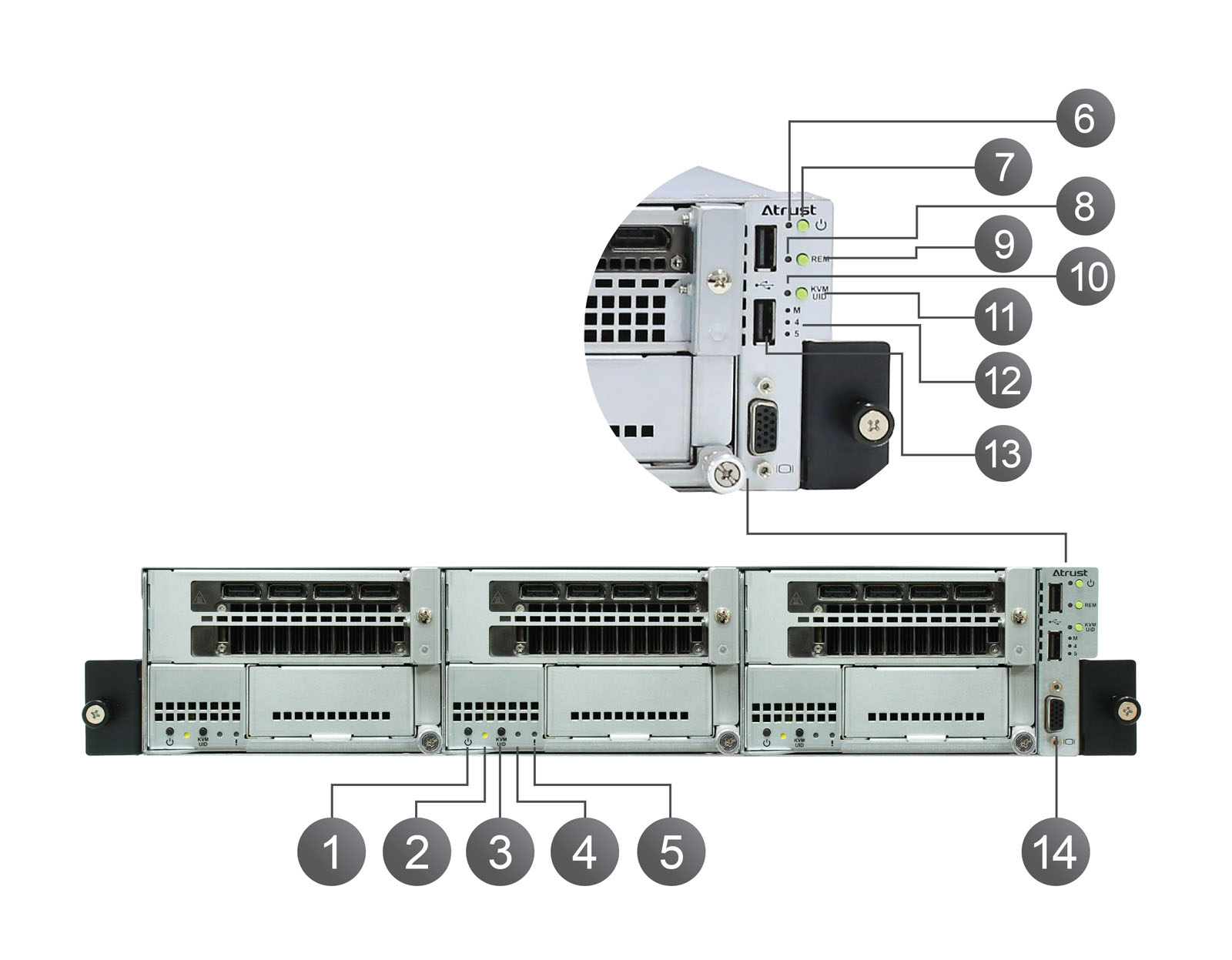
1. Node Power Button

Press button to turn on/off Node.

2. Power / UID LED

Green : Power on.
Green blinking : Node identified ( UID ).

3. KVM / UID Button

Press button :
● Short-pressing button : KVM will be selected and the KVM LED will be turned on.
● Long-pressing button ( over 4 sec ) : Toggle Node identified status.

4. KVM LED

Green : KVM selected.

5. Alert LED

Amber : PC Node alert.

6. Power / UID / Alert LED

Green : Chassis Power on.
Amber : Chassis alert.
Green or Amber blinking : Chassis identified or some PC Nodes are identified.

7. Power Button

Press button to turn on/off chassis.

8. REM LED

Green : Remote access enabled.

9. REM Button

Press button to toggle remote access status.

10. KVM LED

On : KVM mode selected for Management and Node 4, 5.
Off : Normal mode.

11. KVM / UID Button

● Short-pressing button : Switch Normal mode and KVM mode of Management and Node 4, 5.
● Long-pressing button ( over 4 sec ) : Toggle chassis identified status.

12. M, 4, 5 LEDs

In Normal mode : These LEDs represent power status of Management, Node 4, 5.
In KVM mode : KVM for one of Management or Node 4, 5 is selected.

13. USB 2.0 Port x 2

Connects to the USB device.

14. VGA Port

Connects to a monitor.
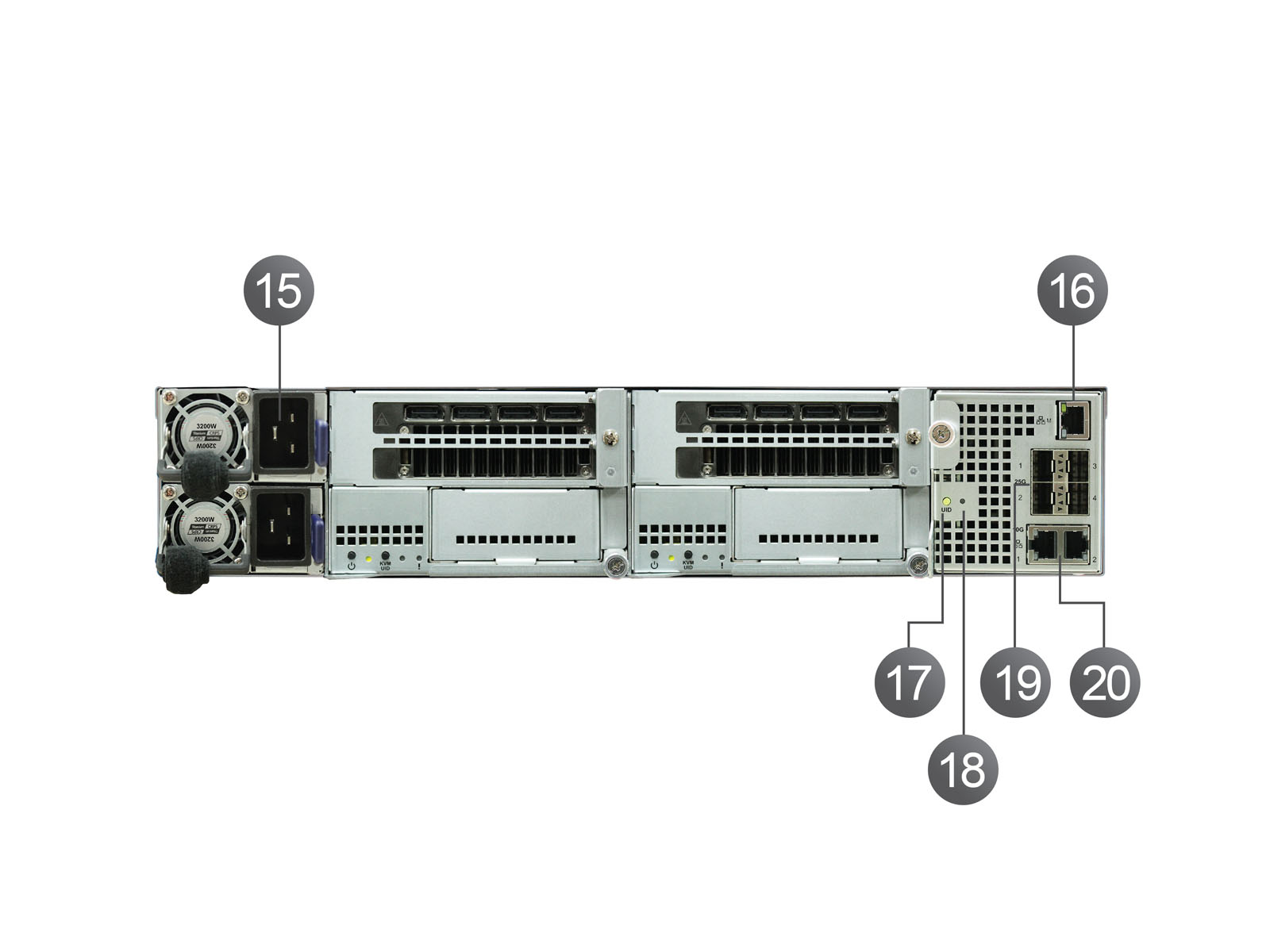
15. Hot-swappable power supply ( AC IN )

Connects to a power outlet.

16. Management Port ( 1 Gb )

Connects to a network.

17. UID Button

Toggle chassis identified status.

18. UID LED

Green blinking : Chassis identified or some PC Nodes are identified.

19. 10 GbE ( SFP+ ) / 25 GbE ( SFP28 ) Uplink Port x 4

Connects to a network.

20. 10 GbE ( RJ45 ) Uplink Port x 2

Connects to a network.

Chassis
Dimensions
( W ) 430 x ( H ) 86 x ( D ) 864 mm
Weight
30.5 Kg ( approximate )
Built-in component
Up-to 5 Node, KVM switch, Ethernet switch, Management Console, Remote KVM.
Power
2 x 3,200W Titanium redundant Hot-Swap power supply 200-240 Vac
Operating humidity ( Rh )
10% ~ 90% ( non-condensing )
Operating temperature
5℃ ~ 35℃
I/O ports
Front :
1 x VGA
2 x USB 2.0
Rear :
1 x Management port ( 1 Gb RJ45 )
4 x 10 GbE ( SFP+ ) / 25 GbE ( SFP28 ) Uplink Port.
2 x 10 GbE ( RJ45 ) Uplink Port.
Cartridge
Supported OS
Proxmox VE
Microsoft® Windows 11 Pro
Ubuntu® 24.04 LTS
Ubuntu® Server
Processor
Intel® Core™ i9-14900, i7-14700, i5-14500
Memory
4 x DDR5 UDIMM, Up to 192 GB ( Dual channel )
GPU
GPU Configuration Options
Support up-to 5 nodes :
● A1000
● L4
● RTX PRO 2000 Blackwell
● RTX PRO 4000 Blackwell
● RTX PRO 4500 Blackwell
Support up-to 4 nodes :
● RTX PRO 5000 Blackwell
Support up-to 3 nodes :
● RTX PRO 6000 Blackwell Server edition
Storage
2 x M.2 NVMe SSD 2280
Networking
Dual 10 GbE NIC Per PC Cartridge
Ethernet Switch
VLAN
Tag / Untag
LAG
Static, Dynamic ( LACP )
Spanning-Tree
STP, RSTP, MSTP
Management
GUI, CLI
Download
Description
Version
Size
Download
EAA100 ( PC171 ) Specification
1.0
1 MB
Power Cord
Rail Kit
Cable Management Arm